Bad news…
The NVMe in my main PC is getting dangerously close to the critical zone.
Its write buffer health (Available Spare) is down to just 16%, with the warning threshold sitting at 10%.
❯ sudo smartctl -a /dev/nvme0n1
[sudo] password for rads:
Verification successful
smartctl 7.5 2025-04-30 r5714 [x86_64-linux-6.18.34-amd64-desktop-rolling] (local build)
Copyright (C) 2002-25, Bruce Allen, Christian Franke, www.smartmontools.org

=== START OF INFORMATION SECTION ===
Model Number:                       ADATA SX8200PNP
Serial Number:                      2L20292BCDFH
Firmware Version:                   42BEU1TB
PCI Vendor/Subsystem ID:            0x1cc1
IEEE OUI Identifier:                0x707c18
Controller ID:                      1
NVMe Version:                       1.3
Number of Namespaces:               1

... output truncated

=== START OF SMART DATA SECTION ===
SMART overall-health self-assessment test result: PASSED

SMART/Health Information (NVMe Log 0x02, NSID 0x1)
Critical Warning:                   0x00
Temperature:                        39 Celsius
Available Spare:                    16%
Available Spare Threshold:          10%
Percentage Used:                    14%
Data Units Read:                    106,085,232 [54.3 TB]
Data Units Written:                 165,073,688 [84.5 TB]
Host Read Commands:                 5,068,013,466
Host Write Commands:                2,626,304,537
Controller Busy Time:               38,957
Power Cycles:                       5,099
Power On Hours:                     31,904
Unsafe Shutdowns:                   149
Media and Data Integrity Errors:    101,725
Error Information Log Entries:      101,725
Warning  Comp. Temperature Time:    0
Critical Comp. Temperature Time:    0
Thermal Temp. 1 Transition Count:   10
Thermal Temp. 1 Total Time:         30

Error Information (NVMe Log 0x01, 16 of 256 entries)
No Errors Logged

Self-test Log (NVMe Log 0x06, NSID 0xffffffff)
Self-test status: No self-test in progress
No Self-tests Logged
Don’t be fooled by the “14% usage” figure. That’s essentially the TBW counter saying the drive has only consumed 14% of its rated write endurance.
The scary number is Available Spare, which is down to 16%. This is the reserve pool of flash blocks used to replace worn-out ones. Once that reserve gets too low, the SSD is entering dangerous territory. In the worst case, it may switch itself into read-only mode to protect the remaining data.
That’s not something you want on your OS drive. At this point, it’s probably only a matter of time before the NVMe loses its ability to write and eventually switches into read-only mode.
And that’s not even the worst part. NVMe prices have absolutely skyrocketed lately—up 2–3x compared to what they used to be.
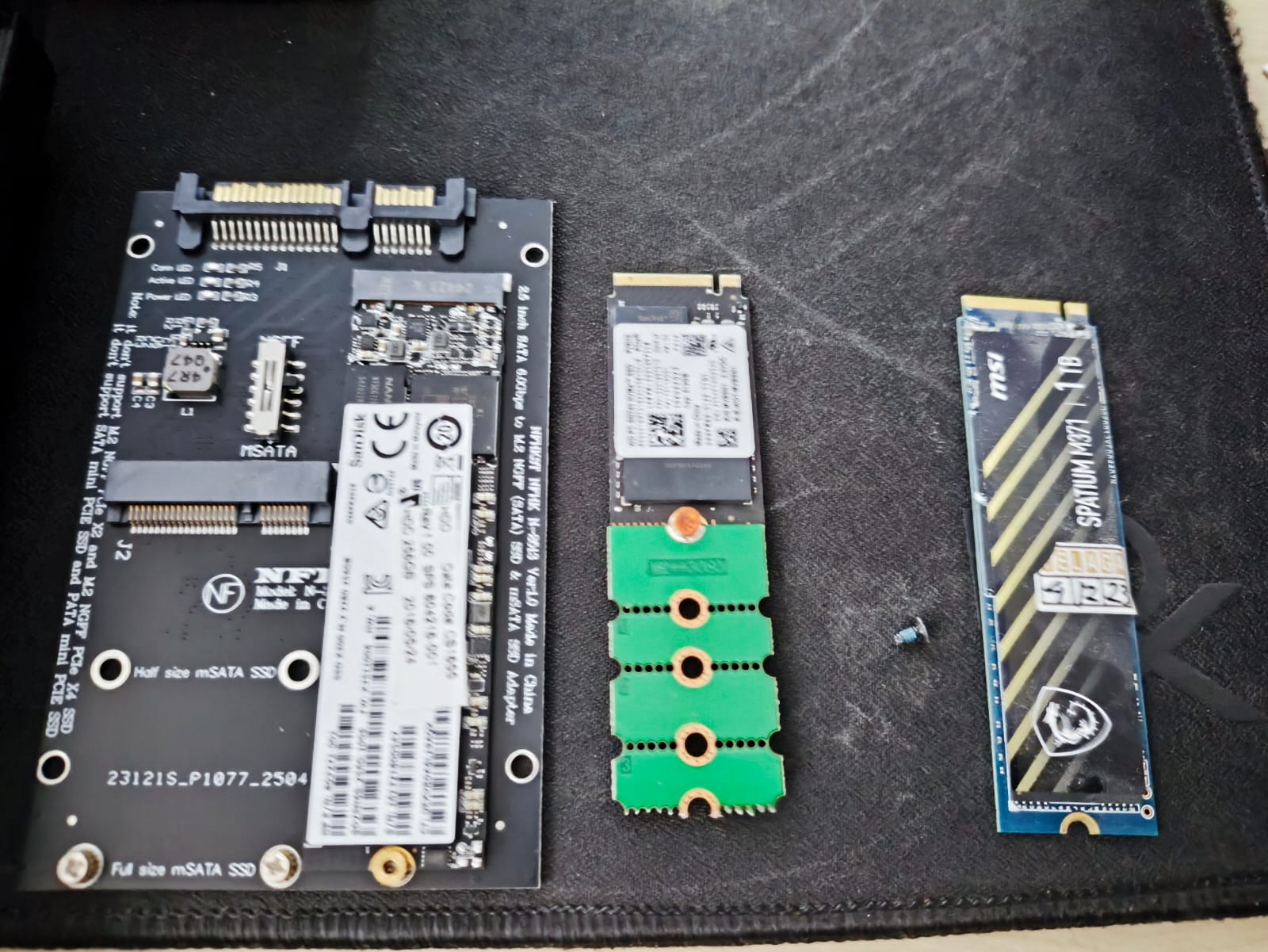
Thankfully, I still have my homelab PC (an HP EliteDesk Tiny with an i7-8700T, 32 GB RAM, bought second-hand, plus a brand-new 1 TB MSI NVMe). The whole setup cost me less than $300 a couple of years ago. I also have a spare 256 GB M.2 SSD and a 256 GB mSATA SSD lying around.
So, I guess it’s time to browse the used market again. Local market store and laptop service store is the savior.
NVMe 2280 and 2230 drives are still pretty expensive, so I looked for the less popular 2242 form factor instead.
An adapter might be needed, but it only cost you $1.
I managed to grab two 512 GB Gen4 drives (WD and Hynix) with very low usage hours, both reporting around 100% health and 100% Available Spare.
The price was great too—less than half the cost of buying new (at today’s inflated prices).
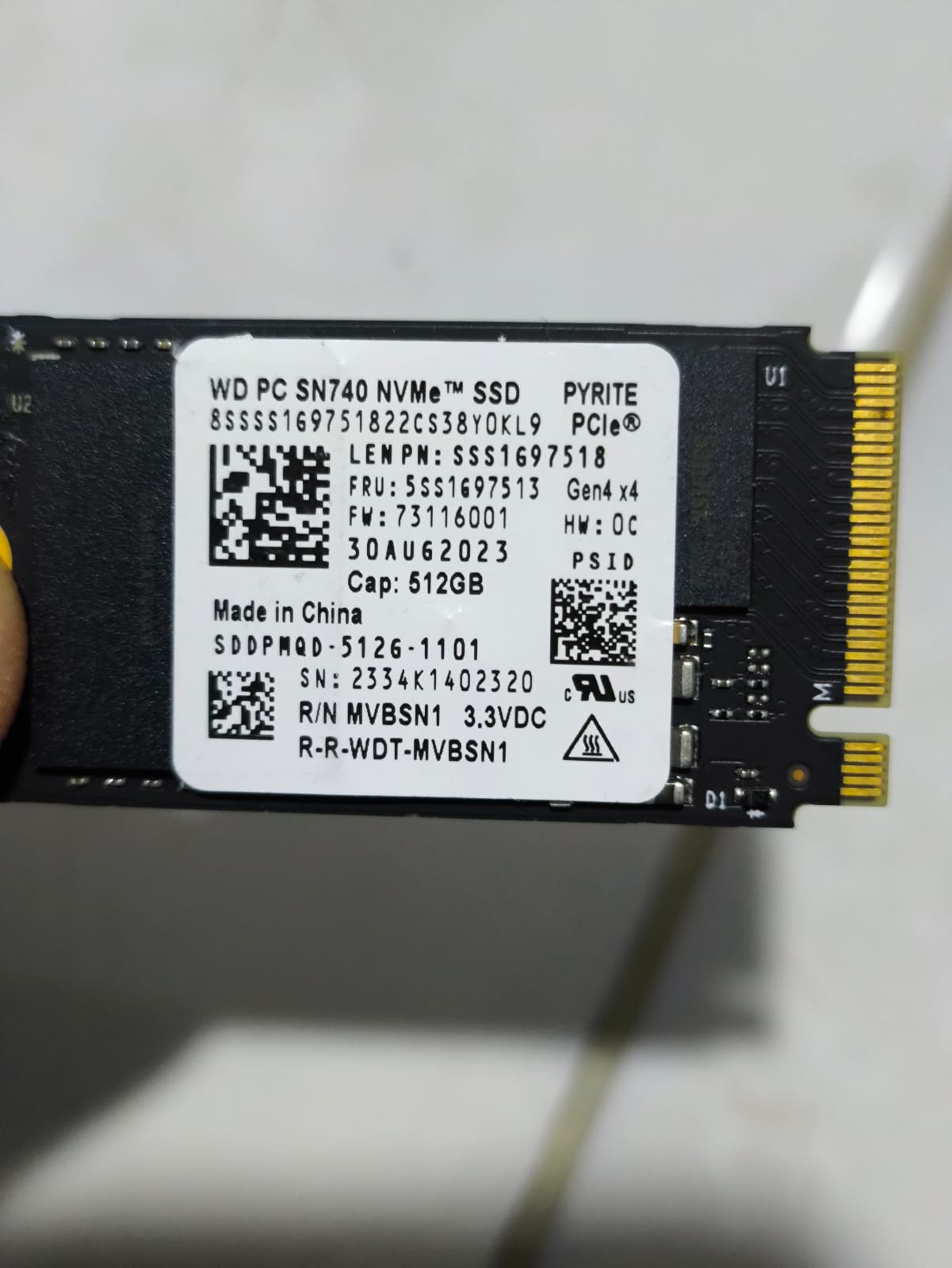
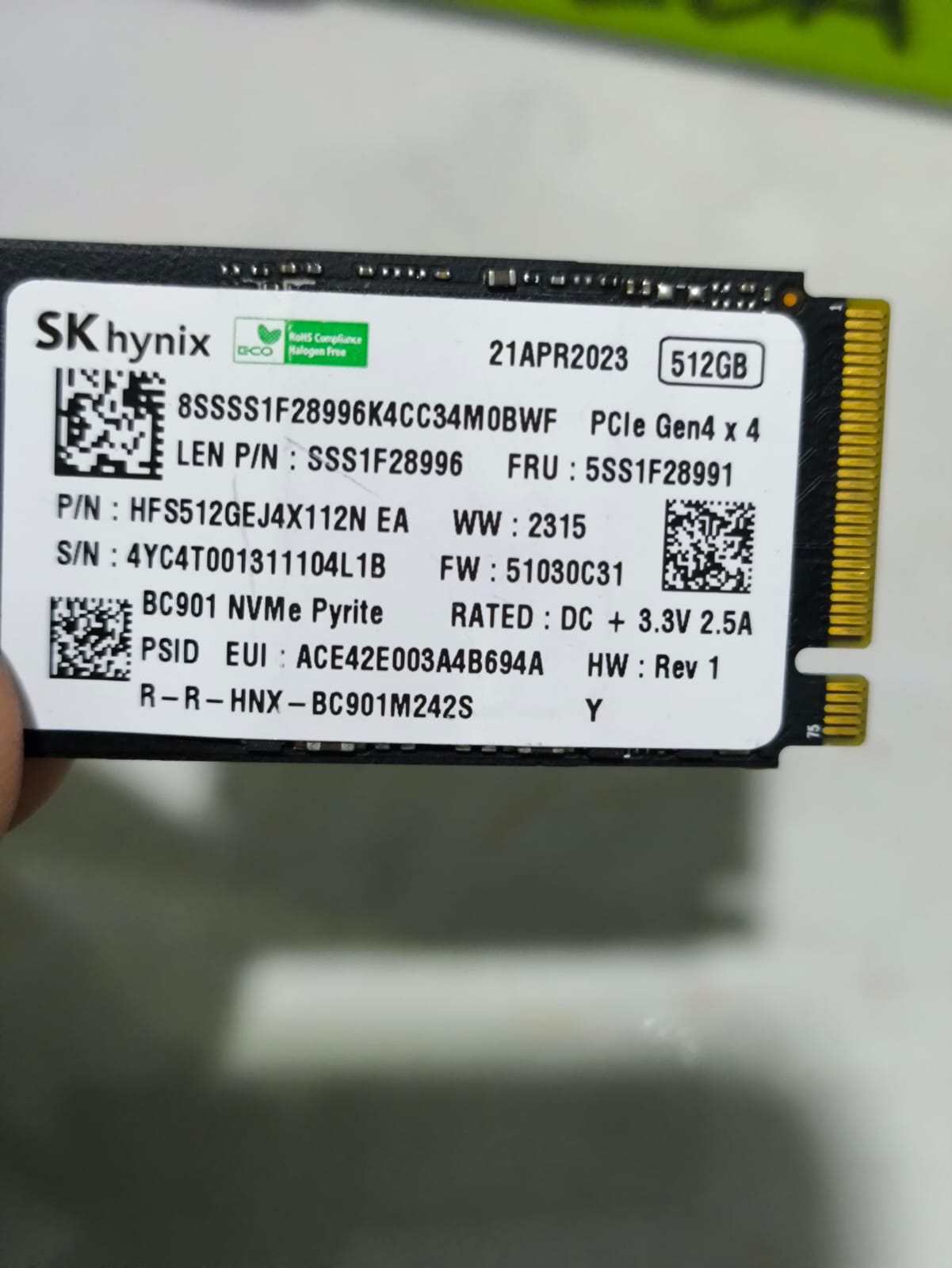
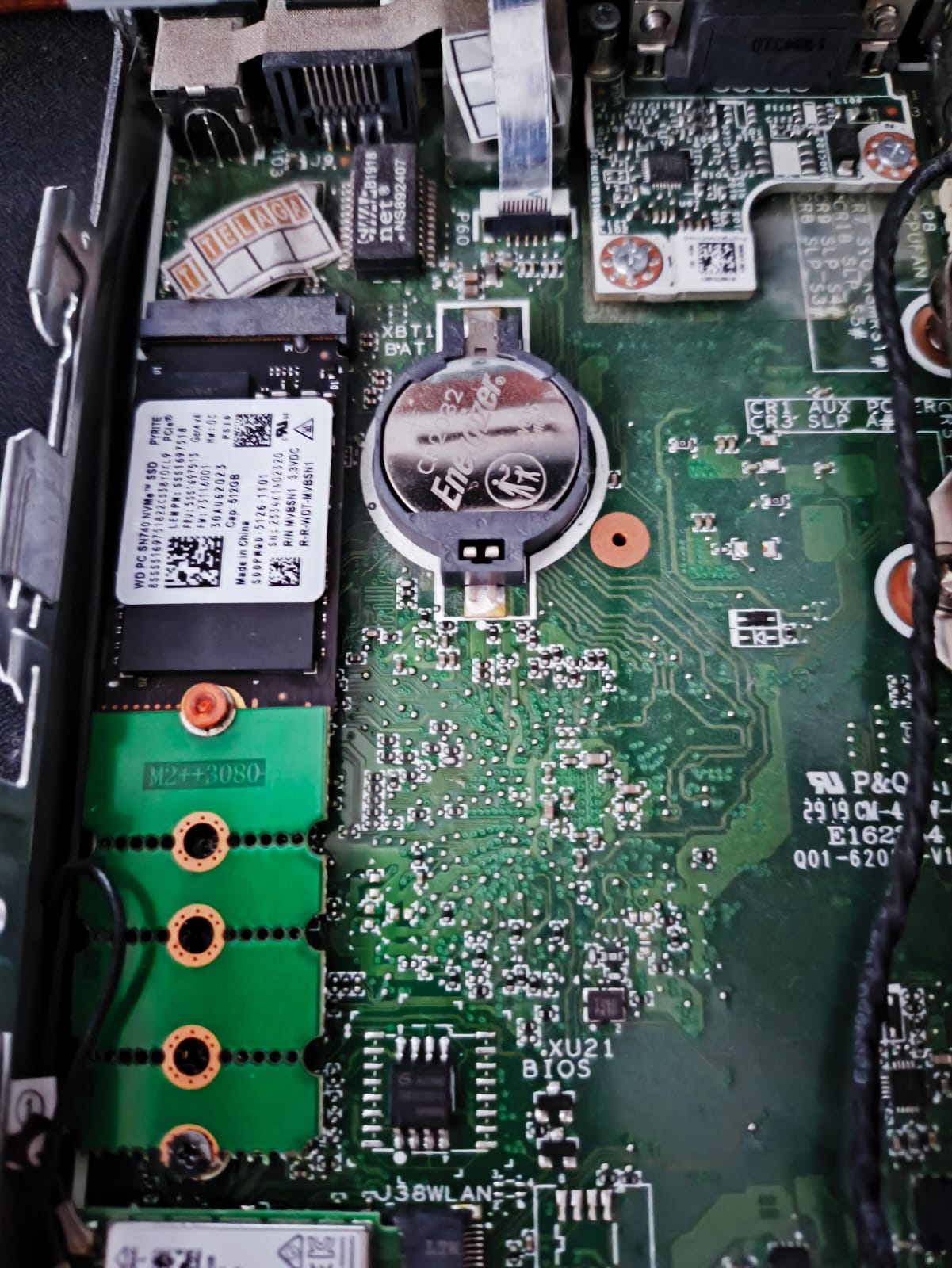
The plan is to upgrade the homelab with a 512 GB NVMe and the 256 GB M.2 SSD. That should be more than enough.
For my main workstation, I’ll use:
- 512 GB Gen4 NVMe
- 1 TB Gen3 NVMe migrated from the homelab
- 1 TB SSD dedicated to backups
Then I remembered that I still have a Raspberry Pi 5 running a Picar-X project.
It can double as another homelab machine, which should be great for learning assembly and compiler development on ARM64. The autonomous car software itself runs in Python and boots from a microSD card.
I’ve noticed occasional lag during operation, and from what I’ve observed, the storage seems to be the bottleneck.
So switching it over to NVMe makes a lot of sense.
Technically I could use the spare M.2 SSD, but the NVMe/M.2 expansion HAT I own only supports 2230 and 2242 drives, while my remaining M.2 SSD is a 2280.
Conveniently, I also found a cheap 256 GB 2230 NVMe drive.
Its Sentinel health is around 90%, but the Available Spare still shows 100%. Good enough for this project.
I do have access to Oracle Cloud’s free ARM instance with 4 AArch64 CPUs and 24 GB RAM, which actually also OK for my experiments, but the total storage is limited to just 40 GB.
After comparing performance numbers, the Raspberry Pi 5 delivers roughly 108 Bogomips per processor, while the Oracle Cloud instance only provides around 50 Bogomips per processor.
Raspberry wins.
So, the next step is obvious…
Time to configure the Raspberry Pi to boot from NVMe.